
Laser Checks
Business Checks & Envelopes prints laser business checks two ways: pre-printed, with your imprint, bank details, MICR line and check numbers already on the sheet, or as blank security check stock for offices that print their own MICR line. Eight layouts cover QuickBooks®, Sage 50 / Peachtree®, Quicken®, Dynamics GP, Sage 100 and more than 50 other programs; build your check below and watch the proof update as you go. Need deposit tickets? Use the Deposit Ticket Proof Tool.
Pre-Printed or Blank Laser Checks for Any Accounting Program
This listing (SKU PPLC) covers Business Checks & Envelopes’ full line of laser business checks, ordered as either pre-printed checks or blank check stock. Pre-printed checks arrive with your business name, bank name, routing and account numbers, MICR encoding and sequential check numbers already imprinted on 24# MICR bond, in 1-part, 2-part or 3-part carbonless sets, with a digital proof to approve before printing. Blank stock carries the same security paper, color and VOID pantograph background, but you print the bank information and MICR line yourself with check-printing software and MICR toner — useful if one box of checks needs to serve several bank accounts.
Layout is the first decision: choose the position that matches your accounting software so the check and stub print in the right place on the 8 1/2″ x 11″ sheet. Layout A puts the check on top for QuickBooks, Quicken, Xero, Wave, FreshBooks, Zoho Books and NetSuite; Layout B centers the check for Sage 50/Peachtree, Dynamics GP, MAS 90/Sage 100 and similar payroll vouchers; Layout C puts the check on the bottom for Peachtree, ADP, Paychex and Gusto; Layout D centers the check under a 4″ stub for VersaCheck and CheckMagic; Layout E prints three checks per page with no stub for high-volume disbursements; Layout F is a voucher check with a 7 1/2″ stub; Layouts G and I split the sheet into three equal panels with the check on top or bottom.
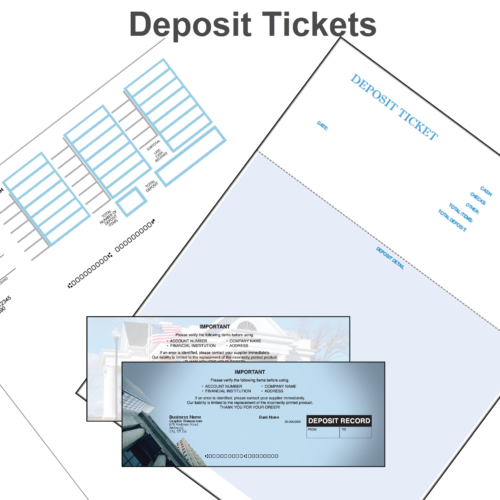
Security level and color are chosen independently of layout. Level 1 stock carries a VOID pantograph, microprint signature line, padlock icon, warning borders and full security back printing, in Maroon, Blue or Green. Level 2 adds chemical-reactivity protection, toner adhesion, a coin-reactive ink stripe, a thermochromic padlock and a ghost-padlock watermark backer, in Red, Purple, Teal, Brown, Light Blue and two Prismatic bases. A Marble or Linen VOID pantograph background is available on either level. Add matching laser deposit tickets — 908CM for QuickBooks or 902CM for Sage 50/Peachtree — printed with the same bank and account details as the checks.
Specifications
- Product type: Pre-printed or blank stock
- Security level: Level 1 or Level 2
- Sheet size: 8 1/2″ x 11″
- Layouts: A, B, C, D, E, F, G, I
- Paper: 24# MICR bond
- Sets: 1-part, 2-part, 3-part carbonless (pre-printed)
- Level 1 colors: Maroon, Blue, Green
- Level 2 colors: Red, Purple, Teal, Brown, Light Blue, 2 Prismatic bases
- VOID pantograph background: Marble or Linen
- Matching deposit tickets: 908CM (QuickBooks), 902CM (Sage 50/Peachtree)
- Quantities: 100 to 25,000
Production & Shipping
Pre-printed checks and deposit tickets are personalized to order. We email a proof for your approval; once approved, the order is printed and shipped within 1–2 business days. Blank check and deposit-ticket stock has no proof step and ships within 24 hours (one business day). Most customers receive their order 3–7 business days after approval, depending on ground transit.
Why buy checks from Business Checks & Envelopes?
Our checks are produced by U.S. print houses on Check 21–compliant MICR bond, you see a live proof while you configure the order, and pricing is shown for every quantity from 100 to 25,000 before you commit. Bank and account details are used only to produce the order and are never stored on this page. Finish the job with matching double-window check envelopes, laser deposit tickets and carbonless invoices. BC&E is the checks-and-envelopes division of Form Technology Co., which also carries continuous forms and the wider business-forms catalog.
$77.15 – $2,306.25Price range: $77.15 through $2,306.25
Business Checks & Envelopes prints business laser checks two ways: pre-printed, with your imprint, bank details, MICR line and check numbers already on the sheet, or as blank security check stock for offices that print their own MICR line. Eight layouts cover QuickBooks®, Sage 50 / Peachtree®, Quicken®, Dynamics GP, Sage 100 and more than 50 other programs.
Pre-Printed or Blank Laser Checks for Any Accounting Program
This listing (SKU PPLC) covers Business Checks & Envelopes’ full line of laser business checks, ordered as either pre-printed checks or blank check stock. Pre-printed checks arrive with your business name, bank name, routing and account numbers, MICR encoding and sequential check numbers already imprinted on 24# MICR bond, in 1-part, 2-part or 3-part carbonless sets, with a digital proof to approve before printing. Blank stock carries the same security paper, color and VOID pantograph background, but you print the bank information and MICR line yourself with check-printing software and MICR toner.
Layout A puts the check on top for QuickBooks, Quicken, Xero, Wave, FreshBooks, Zoho Books and NetSuite; Layout B centers the check for Sage 50/Peachtree, Dynamics GP, MAS 90/Sage 100; Layout C puts the check on the bottom for Peachtree, ADP, Paychex and Gusto; Layout D centers the check under a 4″ stub for VersaCheck and CheckMagic; Layout E prints three checks per page; Layout F is a voucher check with a 7 1/2″ stub; Layouts G and I split the sheet into three equal panels.
Level 1 stock carries a VOID pantograph, microprint signature line, padlock icon, warning borders and full security back printing, in Maroon, Blue or Green. Level 2 adds chemical-reactivity protection, toner adhesion, a coin-reactive ink stripe, a thermochromic padlock and a ghost-padlock watermark backer, in Red, Purple, Teal, Brown, Light Blue and two Prismatic bases. Matching laser deposit tickets: 908CM for QuickBooks or 902CM for Sage 50/Peachtree.
Production & Shipping
Pre-printed checks and deposit tickets are personalized to order. We email a proof for your approval; once approved, the order is printed and shipped within 1–2 business days. Blank check and deposit-ticket stock has no proof step and ships within 24 hours (one business day).
| Weight | N/A |
|---|---|
| Product Type | Pre-Printed, Blank Stock, Deposit Tickets |
| Security Level | Level 1, Level 2 |
| Quantity | 100, 200, 250, 500, 1000, 1500, 2000, 2500, 3000, 4000, 5000, 6000, 7500, 10000, 15000, 20000, 25000 |
Related products
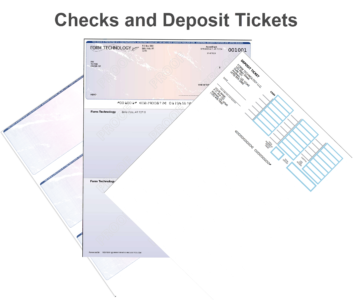
- Checks & Deposit Tickets
Deposit Ticket Proof Tool
$57.71 – $8,599.64Price range: $57.71 through $8,599.64 Select options This product has multiple variants. The options may be chosen on the product page